Seller Product Feeds
Shopify feed guide
To show in your suppliers' online dealer locators, Omacro matches your products against their catalogs. We need a product feed to do that. If you already have a Google Merchant Center feed, we can accept a CSV or XML/RSS version. Add the feed URL on your Omacro feed-management page, or contact support for help.
If you do not have a feed, a Shopify export app such as Matrixify can create one.
Configure the Shopify export
-
Download and install Matrixify. Choose the appropriate plan for the number of products you have.
-
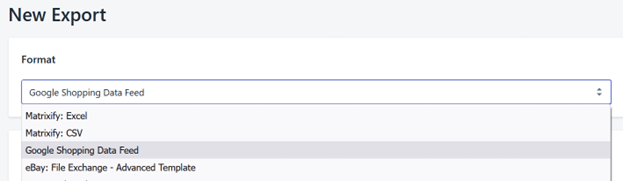
Create a new export and select Google Shopping Data Feed.
-
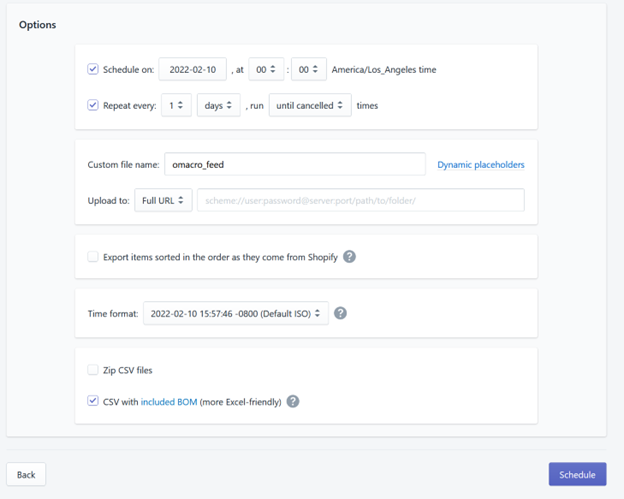
Select the options shown below, add a file name, and select Schedule.
-
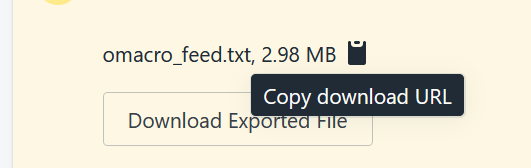
Return to the Matrixify home page in Shopify. Let the job finish, open it, and copy the generated text-file URL.
-
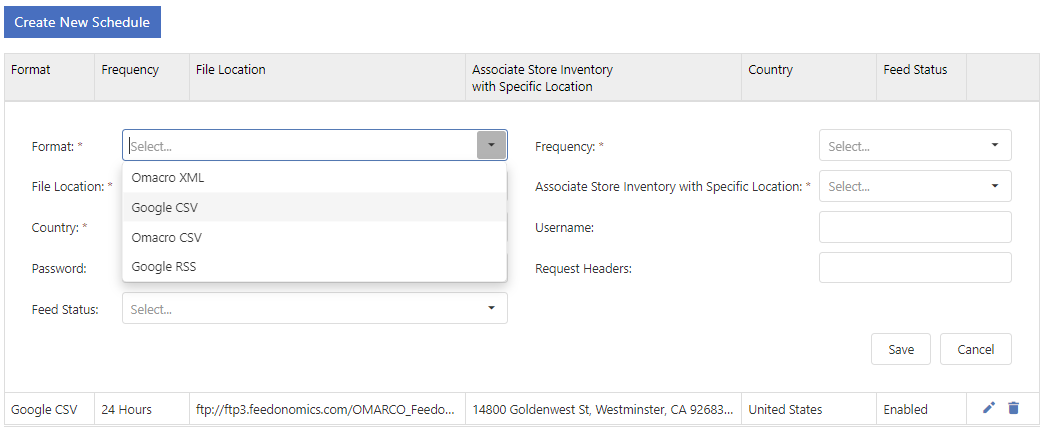
Open your Omacro feed-management page and create a schedule. Select Google CSV, paste the Matrixify URL into the location field, choose the country, and save the schedule. If the inventory is also available at one store, select that store location so the products can appear in local results with stock status.