Seller Product Feeds
Multi-store retail inventory feed
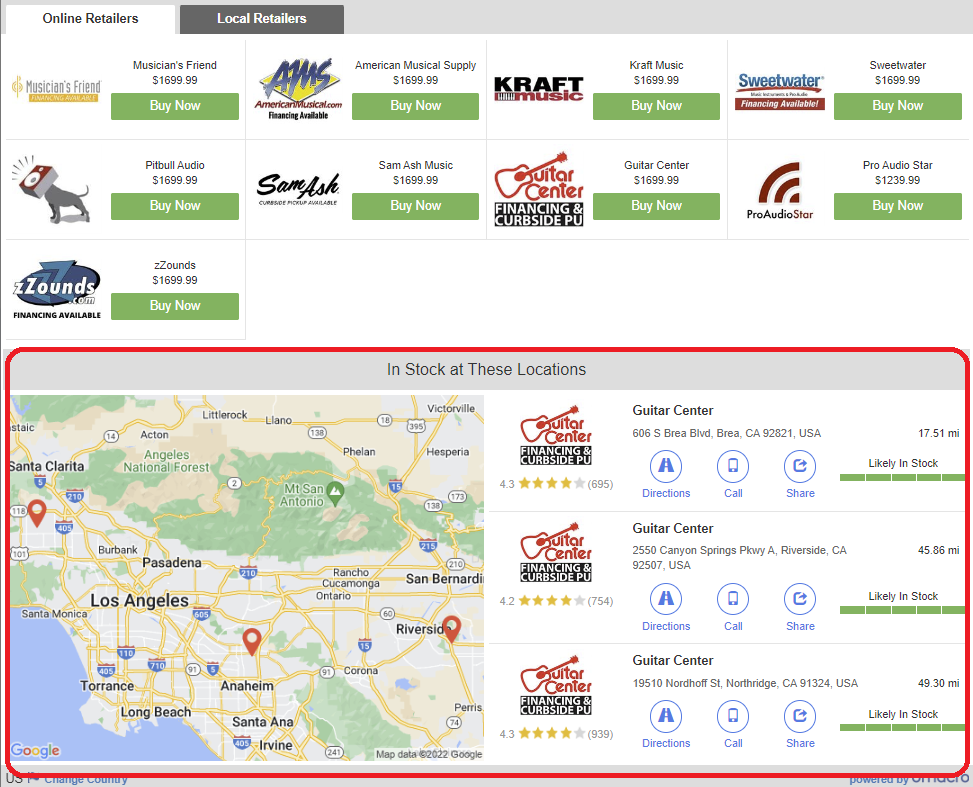
Omacro supports the ability for your suppliers to show both online dealers and highlight local stores near the customer that have in-stock inventory of the item the customer is searching for. Local stores that have in-stock inventory show alongside online dealers as well as highlight those stores in the customer's area on the local results area.
Example of local results showing with online results
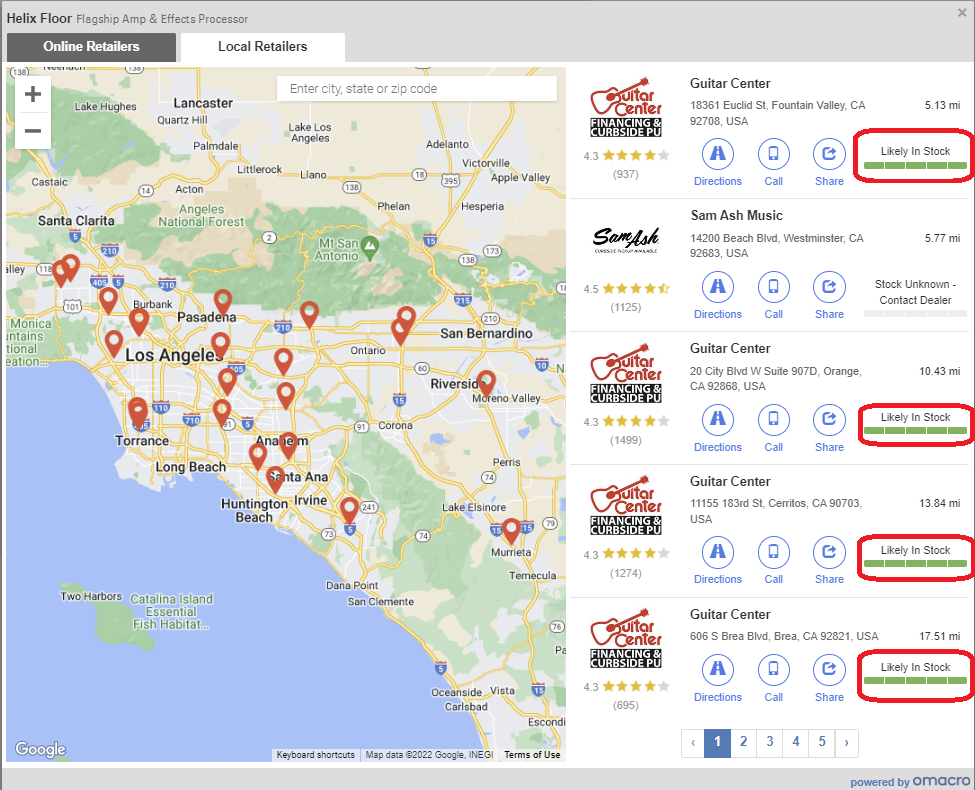
Example of local results illustrating stock status
If you would like your online store and store locations to show local inventory in the results, please follow the steps below (there are two feed sections; one for online and one for multi-store bricks and mortar locations).
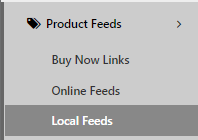
In the Local Feeds
management section
in the omacro admin:
Please create another feed that has your locations’ inventory information. See omacro .CSV file format template or we can accept the Google Merchant Center Local Inventory Partnership Program Feed.

|
|
| Download Omacro multi-store/local inventory feed template | Google Merchant Center XML and .csv (txt) file formats |
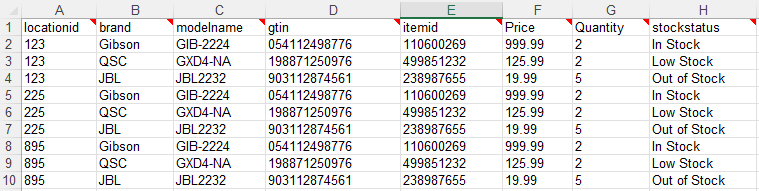
| locationid |
Location ID is the Retail Store ID, or Store ID, of each brick and mortar location. The Location ID maps to the Location ID for each of your addresses in Omacro. You can manage, save and update your Location ID here . |
|
brand |
The product's brand name |
|
modelname |
The product's model name or SKU |
|
gtin |
GTIN is the UPC/EAN/ISBN, etc. |
|
itemid |
This is your internal part number. If your store product feed does not contain Brand, ModelName, and/or GTIN, you may add your internal item ID that will reference your omacro online product feed. Please contact us for further details on this field if you have questions. |
| price |
The product's price |
|
quantity |
This is the amount you have in stock at this particular brick and mortar location You may omit this field, however you must supply 'stockstatus' |
|
stockstatus |
Your item's stock status You may omit this field, however you must supply 'quantity' Examples: inventory = 0 = no stock inventory = 1 = low stock inventory => 2 = in stock |
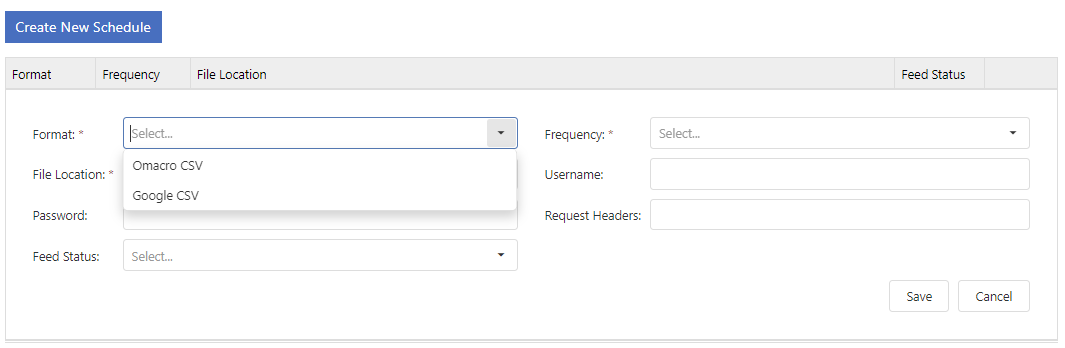
In the local feeds section of the omacro admin, place your file link, select the file format, enter any credentials for the file location if it is password protected and choose the schedule frequency.